Strategy & planning
Strategic plan management that mirrors how plans are written.
Capture your multi-year strategic plan in Diranta, from key result areas down to KPIs, targets and budgets. Take it through review and approval, then run it as the single reference for every report and board discussion.
How it works
From approved document to working plan.
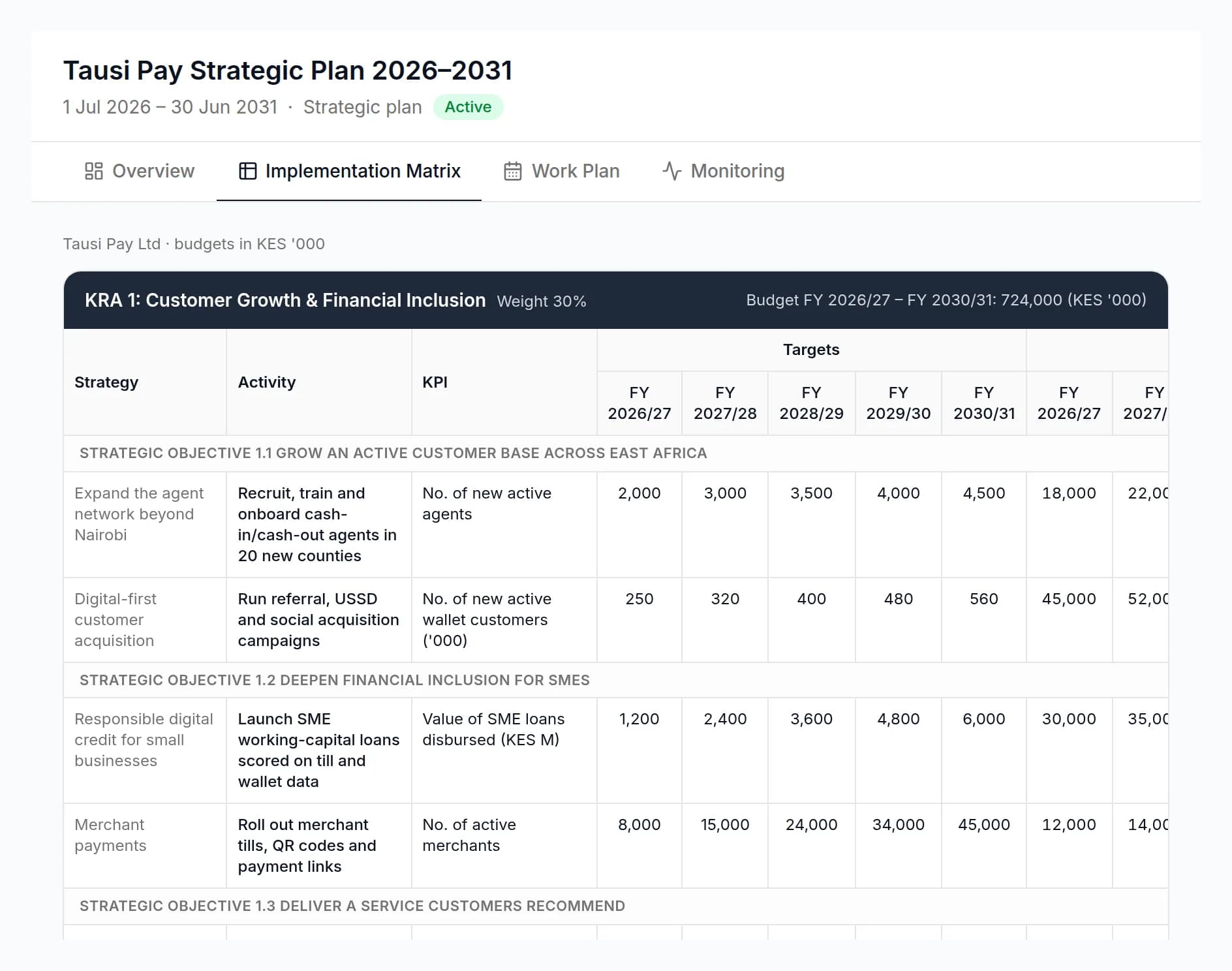
Diranta keeps the structure of your strategic plan intact, so the plan the board approved is the plan the organisation reports against.
Plan structure
Pillars, objectives, strategies, activities and KPIs.
Model the full results chain of a strategic plan. Key result areas (or pillars) carry weights; each holds strategic objectives, the strategies that deliver them, the activities that implement them and the KPIs that measure them.
- KPIs with baselines, annual targets for every plan year and quarterly targets
- Activity budgets so cost sits next to the result it buys
- Count, percentage, milestone and qualitative targets, each handled correctly
Lifecycle and approvals
A plan lifecycle with a clear owner at every step.
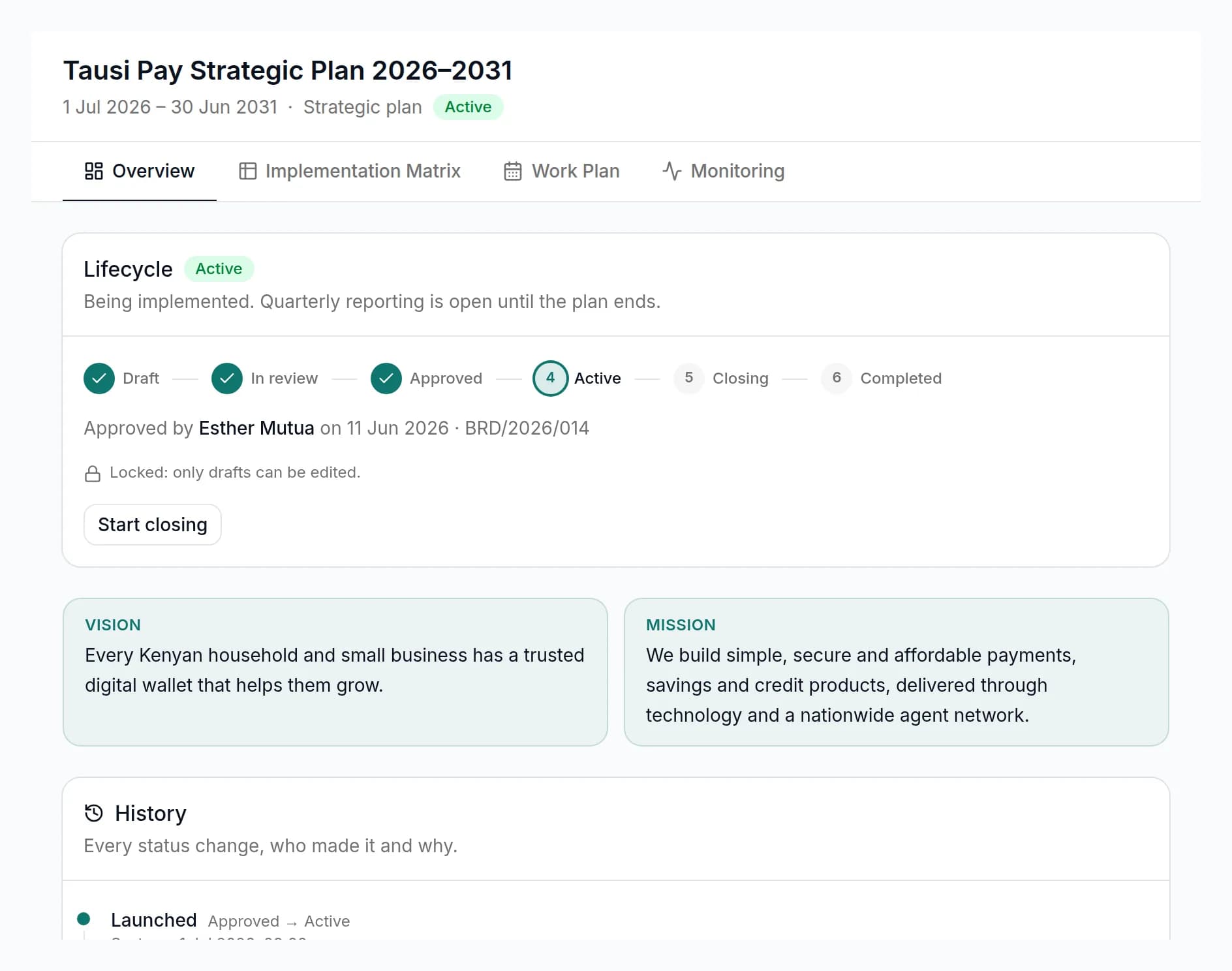
Plans move from draft to review, approved, active, closing and completed. Reviewers can approve or request changes, and every transition is recorded with who made it and when.
- Submit for review, approve or request changes
- Launch an approved plan as active, then close it out at the end of the period
- A full audit trail of every state change and edit
New Strategy wizard
Start a new plan in minutes, not weeks.
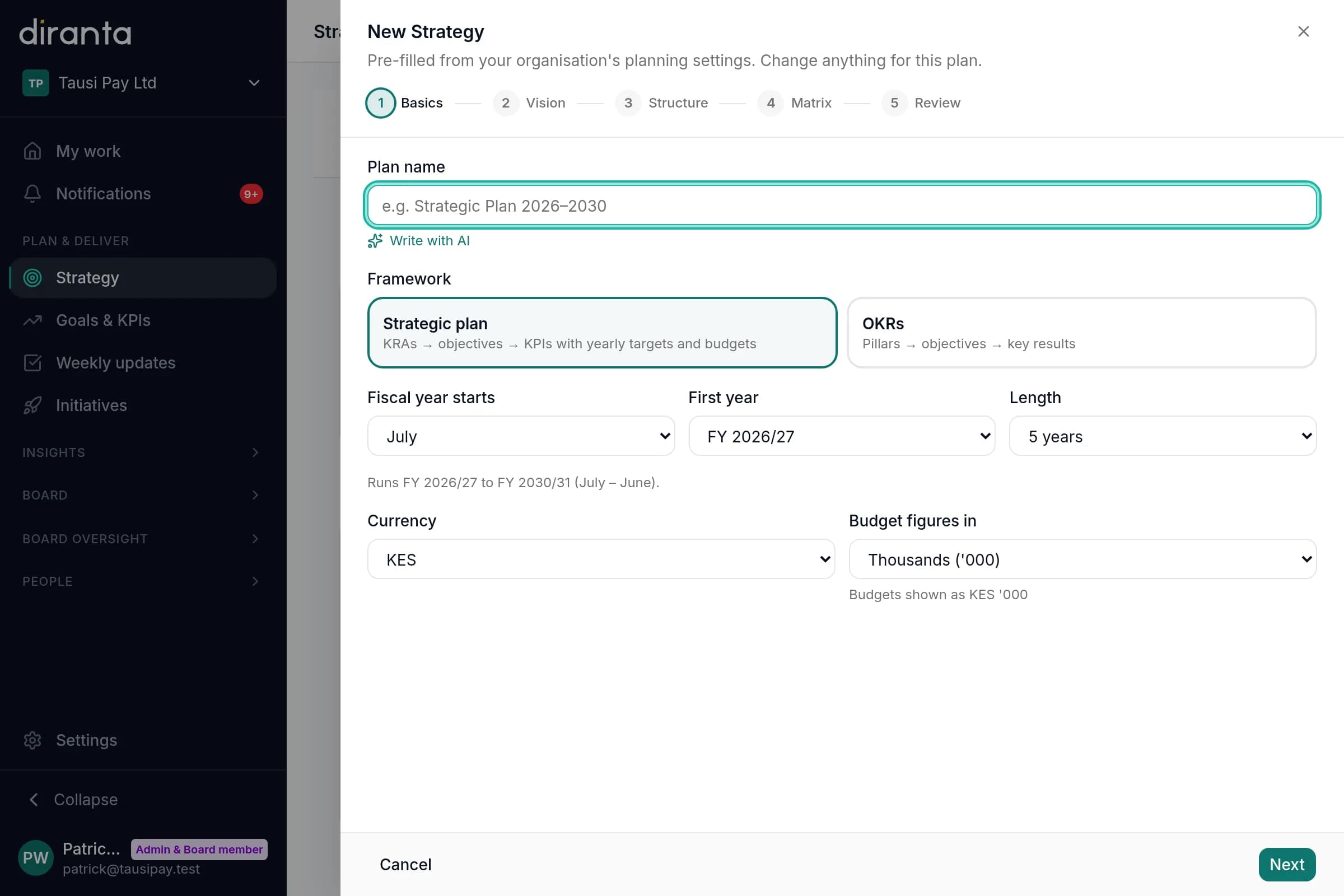
The New Strategy wizard walks strategy leads through the basics, pillars and objectives, pre-filled from your organisation's planning defaults so every plan starts consistent.
- Organisation-wide default key result areas and weights
- Weights validated so they always add up
- Use it for a five-year strategic plan or a quarterly OKR plan
Capabilities
Everything a strategy office needs to run the plan.
Results-chain hierarchy
Multi-year targets
Budgets by activity
Weighted pillars
Review and approval
Audit trail
Guided set-up
Planning defaults
Linked execution
FAQ
Frequently asked questions
Can't find what you need? Our team is happy to help.
Can we import our existing strategic plan?
Yes. During onboarding we help you load your current plan, including key result areas, objectives, strategies, activities, KPIs, baselines, targets and budgets, so you can start reporting straight away.
Does Diranta support both strategic plans and OKRs?
Yes. You can run a multi-year strategic plan and quarterly OKR plans side by side, and generate OKRs directly from plan KPIs.
How are quarterly targets set?
Annual targets are split into quarters using rules that match the target type: counts are split evenly, percentages apply each quarter and milestones fall due by the fourth quarter. You can adjust any quarter.
Who can approve a plan?
Access is role-based. Strategy leads and administrators manage plans, and the review step lets designated approvers approve a plan or send it back with requested changes.
What happens at the end of a plan period?
Move the plan into closing to complete final reporting, then mark it completed. Completed plans stay available, with their full history, for reference and evaluation.
Bring your plan. We'll show you how it runs.
A 30-minute walkthrough using your own strategic plan or last board pack, not a generic demo.